
Picking a Japanese learning tool is a real commitment — your vocabulary deck goes with you for years. This page gives you an honest look at how immit compares to the tools learners ask about most. No spin, just the differences that matter.
immit vs Yomitan
Yomitan is one of the most beloved tools in the Japanese learning community, and for good reason — it's free, powerful, and has a passionate user base. If you're already deep in a Yomitan + Anki setup that's working for you, there may be no reason to switch. immit is for learners who want the same quality of lookup experience with a built-in SRS — no separate apps, no configuration overhead.
| Feature | immit | Yomitan |
|---|---|---|
| Price | Free forever · Pro $9/mo | Free (open source) |
| Initial setup | Install extension + desktop app | Install extension + dictionary files |
| Hover lookup | ||
| Persistent dictionary panel | Searchable panel, stays open while you browse | |
| Example sentences in popup | Depends on dictionary installed | |
| Dictionary quality | Actively audited for modern Japanese, slang and neologisms | Community-maintained; coverage of modern terms varies |
| Save words | One click → flashcard | Requires Anki + AnkiConnect setup |
| Built-in SRS | ||
| Offline Lookup |
Popup Dictionary Comparison (Default Dictionaries)
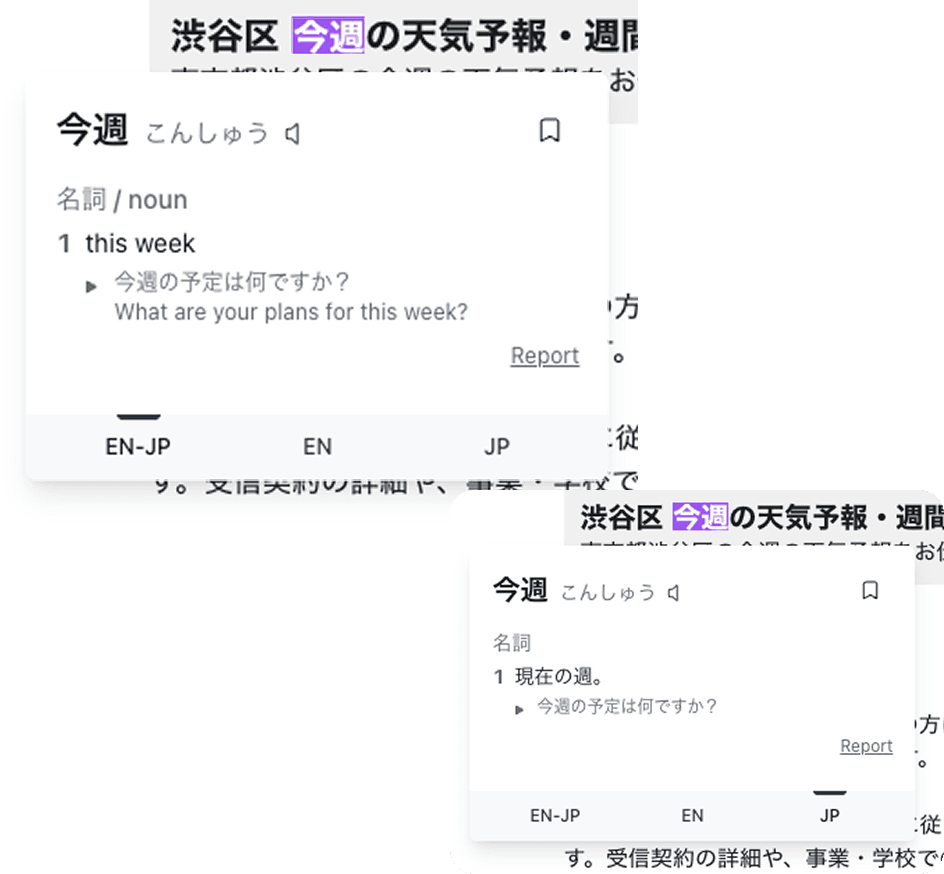
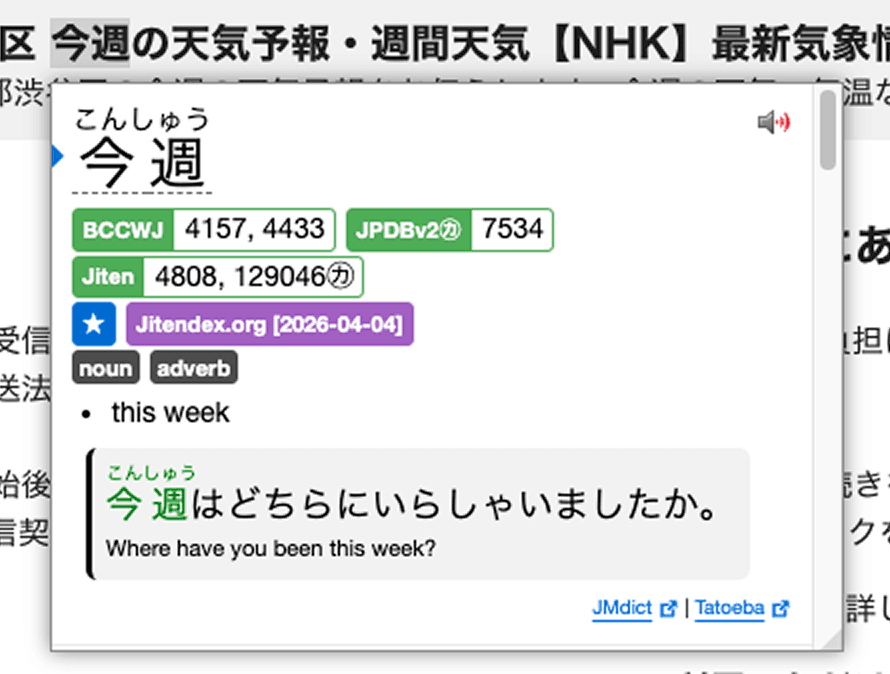
immit's popup is designed to be readable at a glance — definition, reading, and example sentences without visual clutter. Yomitan's results include a frequency rank, which is useful for prioritizing common vocabulary.
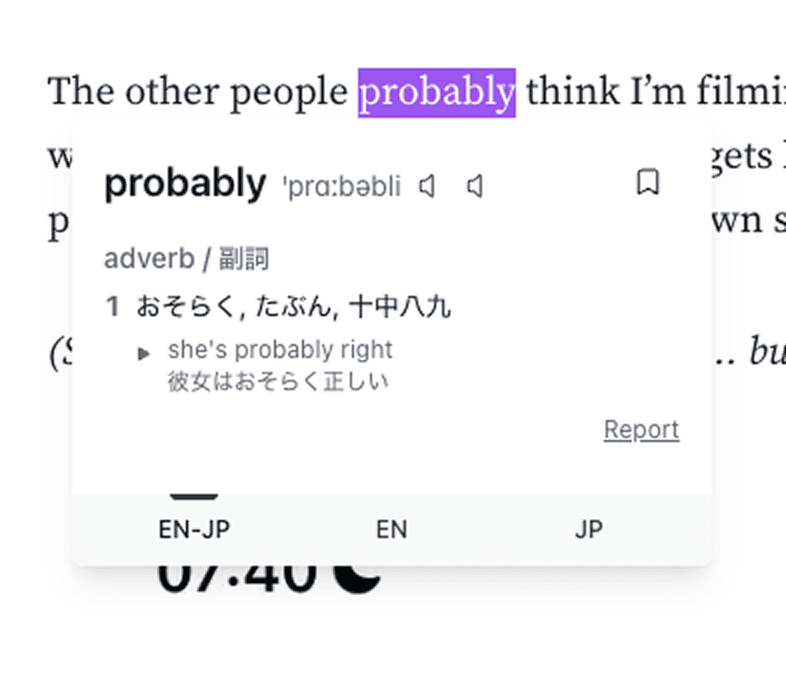
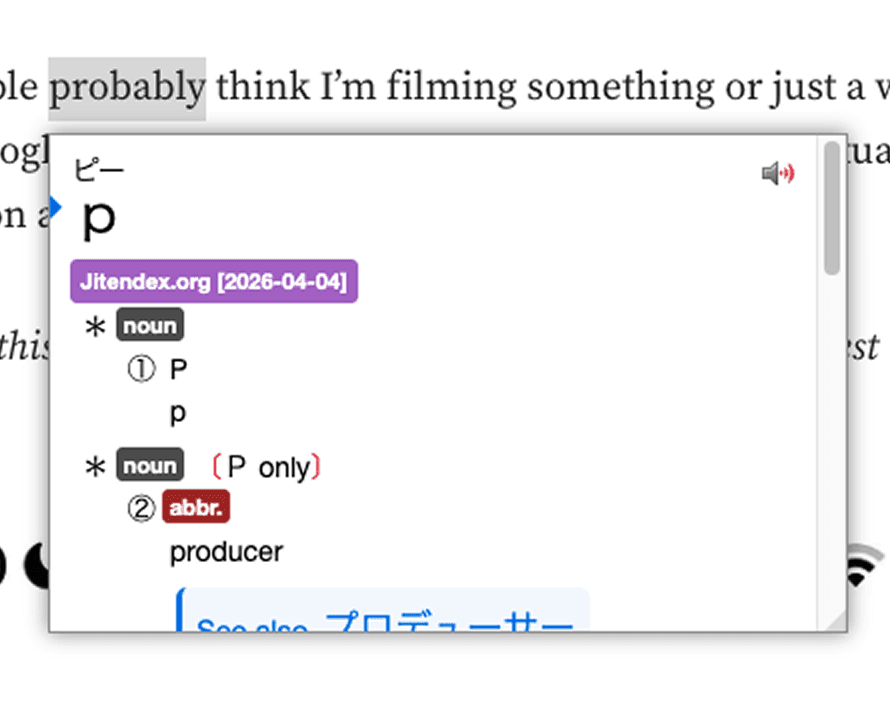
One thing to note: Yomitan's default free dictionaries don't include English → Japanese lookup. You can add that by importing a separate dictionary file.
Dictionary Panel
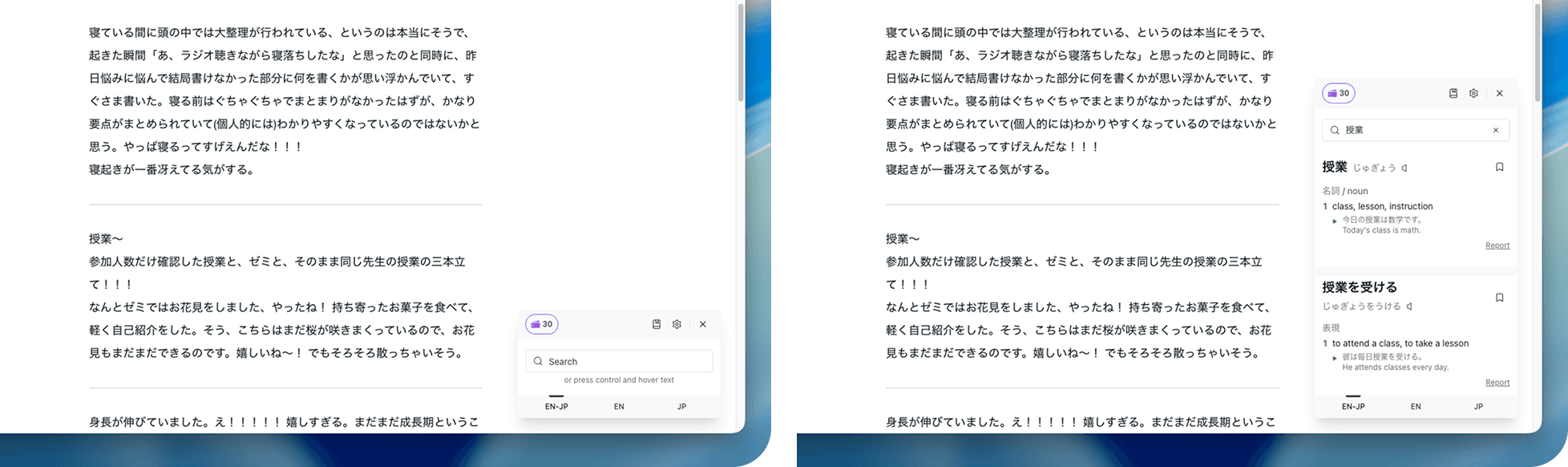
This is a feature unique to immit. The dictionary panel stays pinned to the bottom right of your screen, so you can type and search words directly — not just hover over them. This is especially useful when you're writing in Japanese — composing a message, filling out a form, or drafting notes — and want to check a word without switching tabs or losing your place. It also supports English → Japanese search, so you can start from a concept rather than a word.
One-Click Save
Both immit and Yomitan let you save words in one click, which is great. The difference is where they go: immit saves directly to your wordbook and creates a flashcard automatically. Yomitan sends cards to Anki, which requires setting up the AnkiConnect plugin first.
immit vs Anki
Anki is the gold standard for spaced repetition and has helped millions of learners memorize vocabulary in dozens of languages. If you need highly customized card templates, shared decks, or a system you can bend to any subject, Anki is still unmatched. immit isn't trying to replace that. It's built specifically for Japanese vocabulary — tightly integrated with your reading, so the word you just looked up becomes a card in one click.
| Feature | immit | Anki |
|---|---|---|
| Price | Free forever · Pro $9/mo | Free (desktop) · $25 iOS |
| Primary Purpose | Japanese dictionary + SRS | General-purpose flashcard system |
| Card creation | One click from lookup | Manual entry or import |
| Card customization | Notes field, flip mode, type in mode | Highly flexible - custom templates, fields, add-ons |
| Review Modes | Flip · Type-in | Many (basic, cloze, image occlusion, etc.) |
| Dictionary integration | Built-in | None—requires Yomitan + AnkiConnect |
| Setup Required | None | Moderate to steep learning curve |
| Shared decks / imports | Roadmap | Large community deck library |
| Offline Lookup |
Card Creation
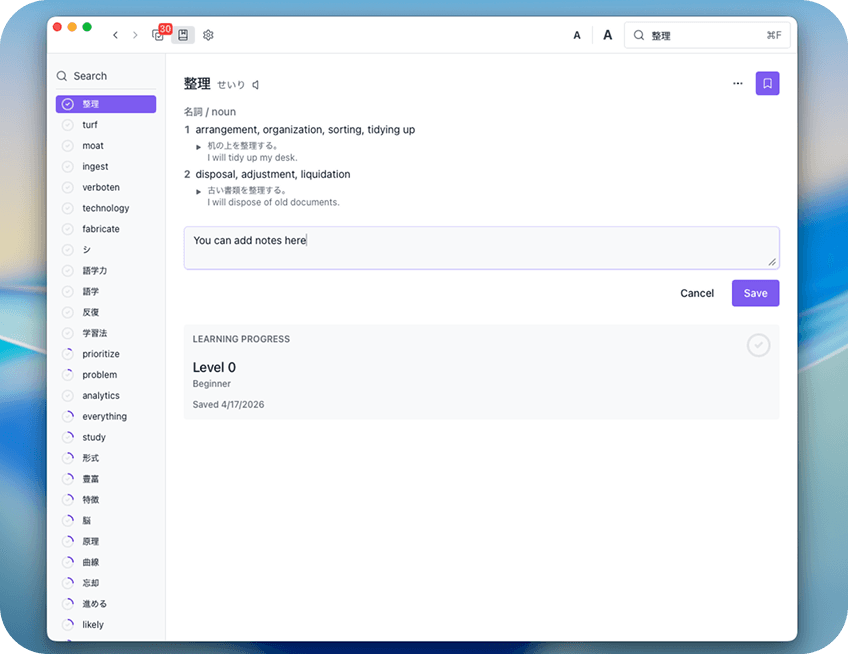
Anki gives you full control over your card format — multiple fields, custom templates, and a large library of add-ons. That flexibility comes with a learning curve. immit keeps it simple: save a word from your reading, add a note if you want context, and it's ready to review.
Flashcard Example
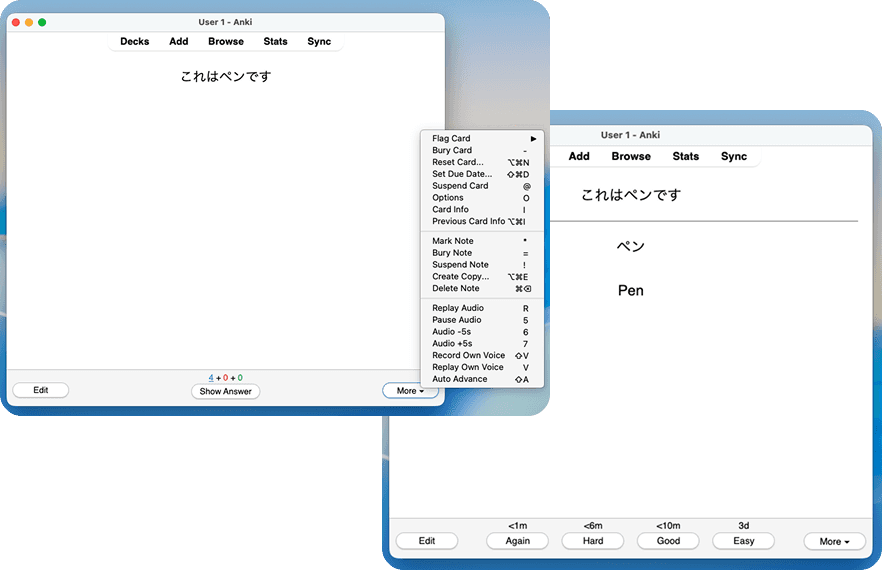
Anki offers a wide range of review settings and card types that experienced users often spend time fine-tuning. immit has two modes: Flip mode shows you the word, you recall the meaning, then mark it as easy (green) or hard (red). Type-in mode asks you to type the definition before revealing the answer. Simple by design — so you can focus on reviewing.
immit vs Migaku
Migaku and immit overlap in meaningful ways — both offer hover lookup and one-click card creation. Migaku is free for 10 days, then requires a paid subscription; immit has a free tier with no time limit. Beyond pricing, they're built around different assumptions about how you learn. Here's how they compare.
| Feature | immit | Migaku |
|---|---|---|
| Price | Free forever · Pro $9/mo | Paid after 10-day trial (~$10+/mo) |
| Hover loopup | ||
| Persistent dictionary panel | ||
| One-click card creation | ||
| Card field editing | Notes field | Editable fields on desktop app |
| Youtube CC support | ||
| Netflix support | Roadmap | |
| UI style | Clean, minimal | Gamified, visually playful |
| Built-in SRS | ||
| Offline lookup | Partial — Japanese lookup works offline; English does not | |
| Free tier | No time limit | Trial only |
Popup Dictionary Comparison (Default Dictionaries)
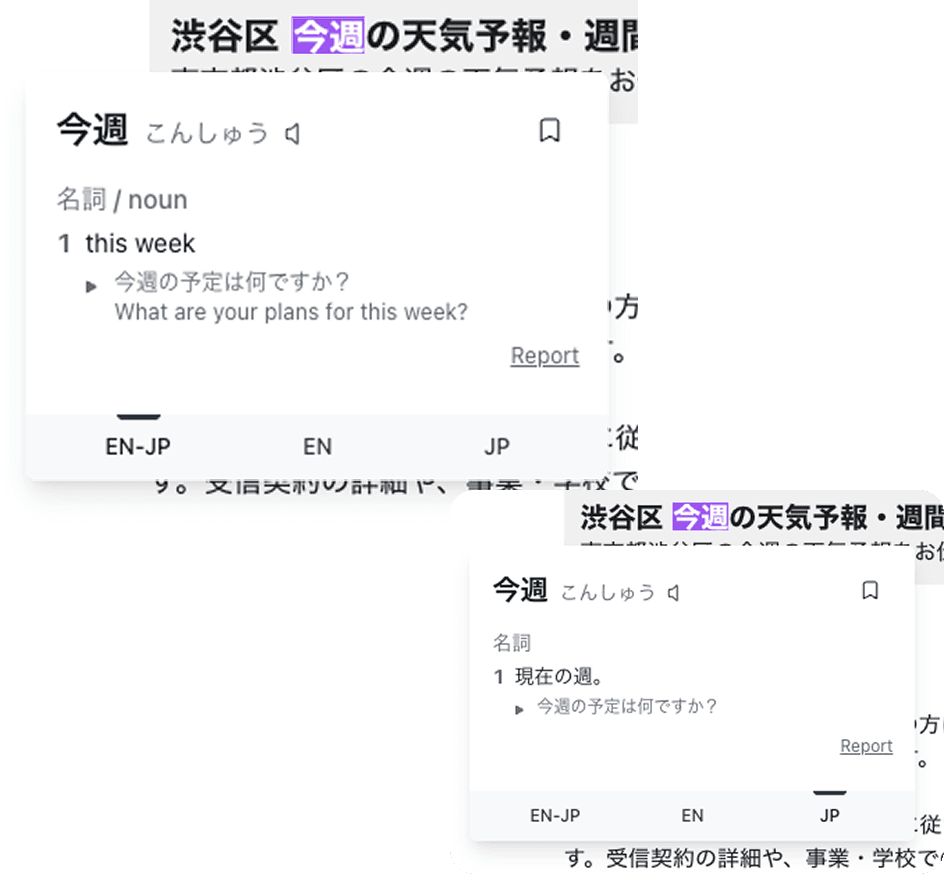
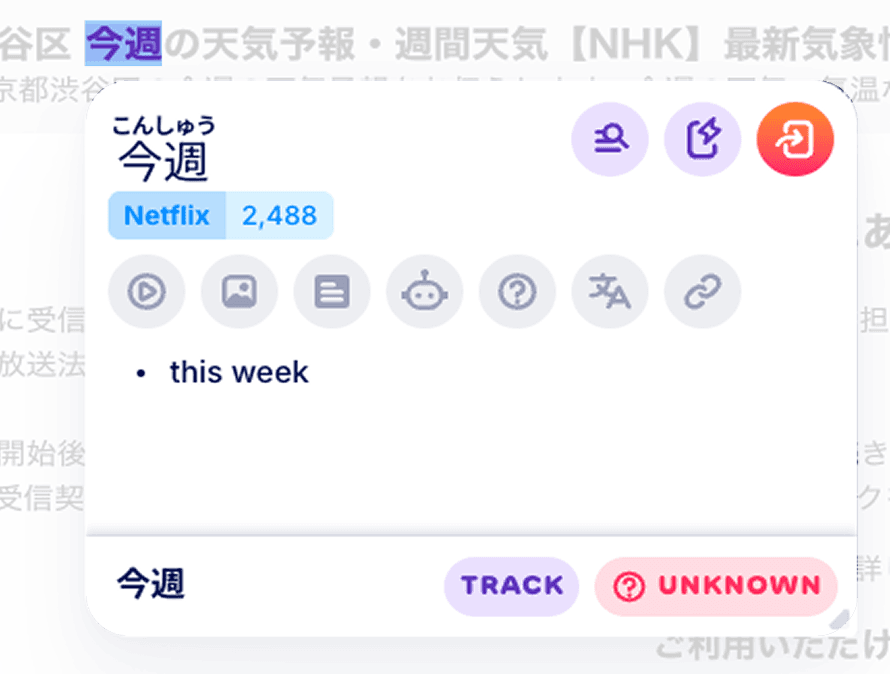
immit's popup works on both Japanese and English text, giving you the gloss and example sentences right away. Migaku's popup focuses on the definition and adds useful extras such as related image search for visual context and an "Ask ChatGPT" button if you want a deeper explanation of the word.
Word Search
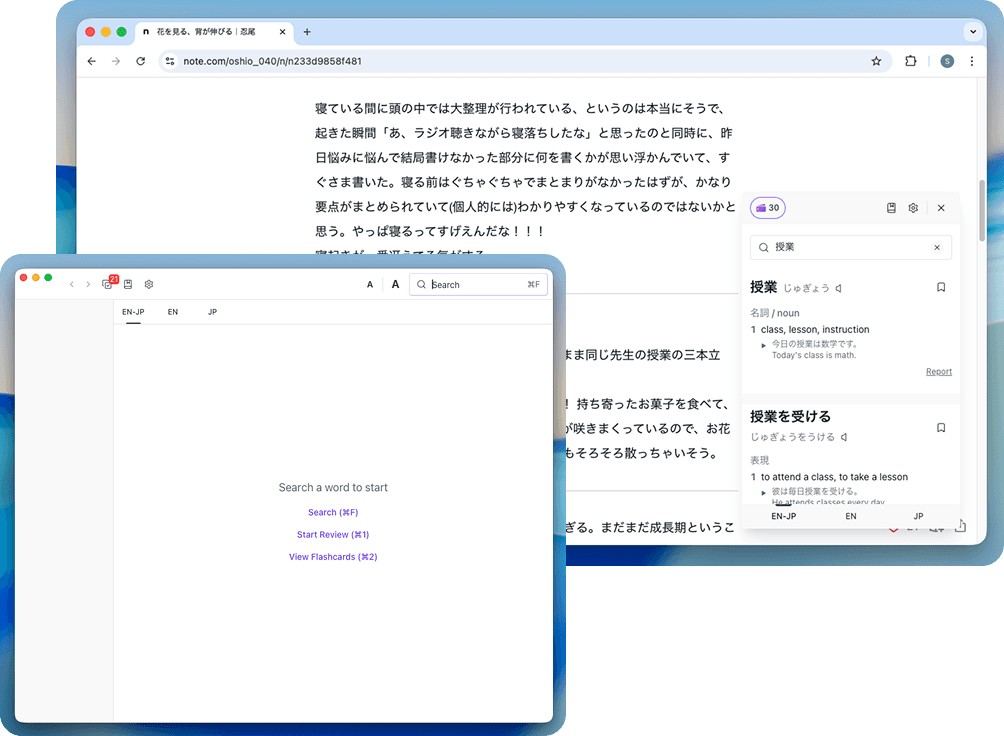
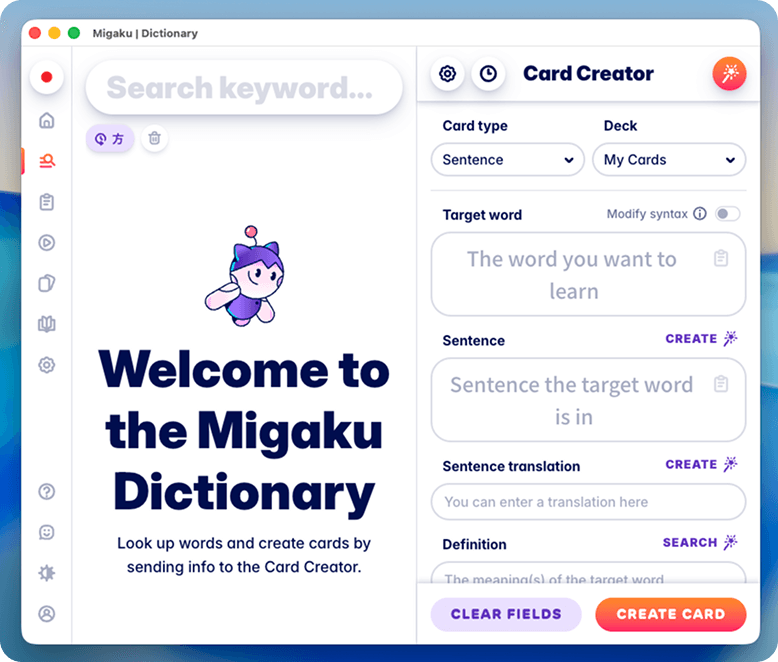
immit's dictionary panel stays pinned of your screen and works fully offline, so you can search words without switching tabs or opening a new app. Migaku offers word search through their web app.
One-Click Save
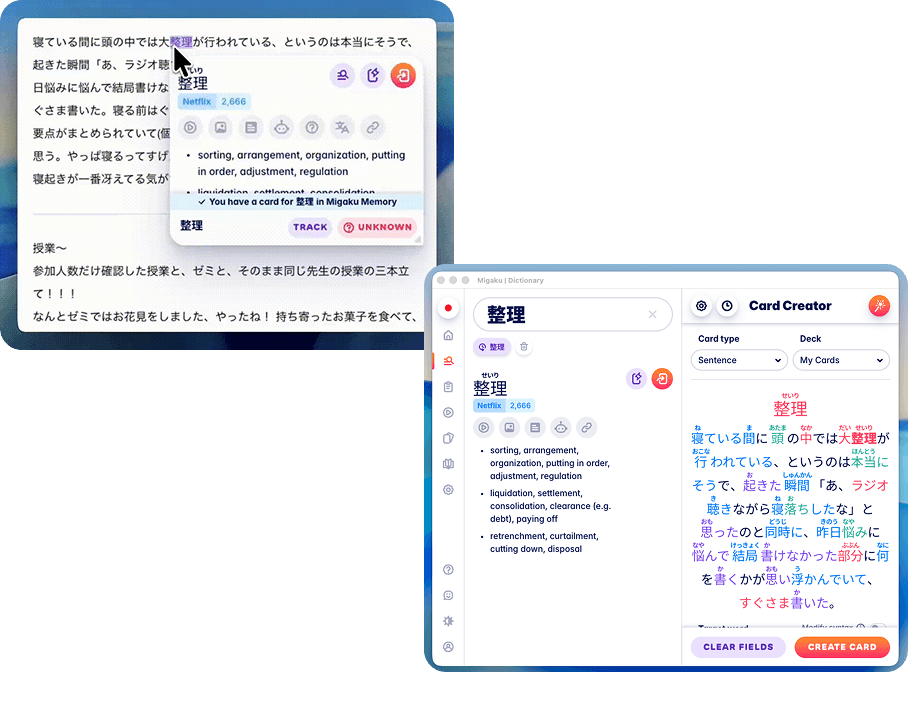
On immit, clicking the bookmark icon saves the word to your wordbook and queues it for review automatically. Migaku's save flow opens a card creation screen where you can edit individual fields before confirming — useful if you want more control over each card at the moment of saving.